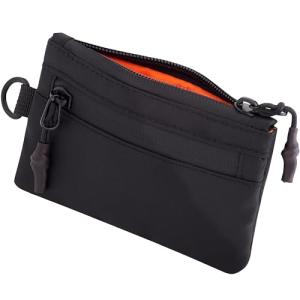
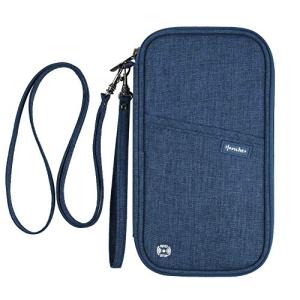
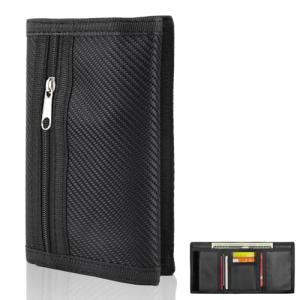
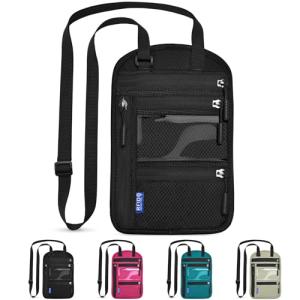
Setting up your RFID wallet is a breeze, and it's important to get it right. First, you'll want to make sure you choose a wallet that suits your style and storage needs. Look for an RFID wallet with enough space for your cards, cash, and ID. There are some great options out there, so pick one that you really like!
Once you've chosen the perfect wallet, it's time to start using it effectively. Begin by organizing your cards. Place the most frequently used cards in the easiest slots to access. It helps to keep your wallet neat and makes it easier to find what you need when you're on the go.
Now comes the fun part—testing your RFID wallet at home. Grab an RFID reader or use your smartphone with an NFC app if you have one. Hold your phone over the wallet to see if it picks up any signal from your cards. If nothing comes up, that’s a good sign your wallet is doing its job at blocking unauthorized scans!
If you’re not getting the results you want, double-check if you've positioned the cards correctly inside the wallet. Sometimes, it just takes a little adjustment. After you've tested your RFID wallet at home, you'll feel confident knowing your cards are safe from unwanted scanning.
Quick Tests for RFID Protection
Want to see if your wallet really protects against RFID skimmers? You can test RFID wallet at home with a few simple steps. Grab a few items you'll typically find in your wallet, like credit cards or IDs, and get ready for a quick check!
First up, you'll need an RFID reader or even a smartphone with an NFC (Near Field Communication) feature. If you don’t have a reader handy, just download a free NFC app on your phone. Now, take one of your cards and hold it up to the reader's antenna or your phone's NFC area. If it registers, your card is vulnerable.
Next, put the card into your RFID wallet and try the same thing. If everything is working as it should, your reader or phone shouldn't pick up any signal from that card. A successful block means your wallet is doing its job. If it still registers, it’s time to consider upgrading your security.
Want to be extra thorough? Test multiple cards to be sure. Different cards might have different levels of RFID protection, so it’s a good idea to check them all out. And remember to have some fun with it! It’s a handy way to ensure your financial info stays safe during your travels.
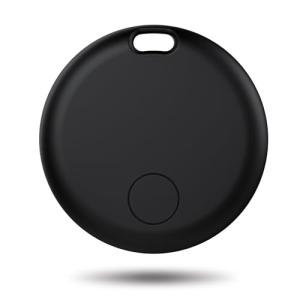
Bluetooth Air Tracker Tags - 4 Pack for Luggage
Keep your luggage safe and trackable with these Bluetooth Air Tracker Tags for peace of mind during your travels
Product information
Product Review Score
4.9 out of 5 stars
15 reviewsProduct links
Simple Steps to Check RFID Functionality
Testing the RFID functionality of your wallet at home is super simple. You don't need fancy tools or tech skills. Just follow these easy steps, and you’ll know if your wallet is doing its job.
First, grab your RFID wallet and an RFID card. This could be a debit card, ID, or any card that has RFID technology. Hold the wallet in one hand and the card in the other. Now, try to scan the card while it’s inside the wallet. If your wallet is working properly, your card should be blocked from scanning.
Next, try a different approach. Close your wallet and hold it against a RFID reader or smartphone app designed for this purpose. If the reader doesn’t detect the card, your wallet is doing its thing to keep your information safe. If it does pick up the signal, it might be time to look for a new wallet.
Another quick test involves using a simple aluminum foil. Wrap your RFID card in the foil and place it in the wallet. If a reader still picks up the card, your wallet may not be fully protective. This is a great DIY way to confirm that you can trust your wallet with your sensitive info. Remember, whether you test RFID wallet at home or out and about, ensuring you have a solid line of defense against skimming is key!
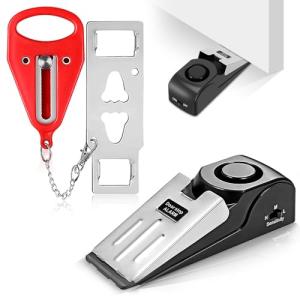
Door Stop Alarm & Portable Lock for Travel
Keep your space secure and enjoy peace of mind wherever you go with this door stop alarm and portable lock
Product information
Product Review Score
4.74 out of 5 stars
50 reviewsProduct links
Troubleshooting Common RFID Wallet Issues
When you're out there trying to test RFID wallet at home, it’s good to know a few troubleshooting tips for common issues. Sometimes, technology can be a bit finicky. Here are a few things to look out for and easy fixes you can try!
First, if you’re not getting any results during your test, double-check that you’re using the right RFID reader or scanner. Some models only work with specific types of wallets. Make sure your wallet is fully closed and all cards are in place. If something feels off, take the cards out of the wallet and try testing them individually. This can help pinpoint if the issue is with the wallet or the card itself.
Another issue you might face is interference. Certain electronic devices can cause problems while testing. So, when you test RFID wallet at home, it’s best to find a quiet place without too many gadgets around. Turn off any nearby electronics and give it another shot.
Lastly, if your wallet has been packed full of cards, this can affect performance. Too many cards can sometimes block the signal, so consider removing some to see if that makes a difference. If your wallet is designed to hold fewer cards, try sticking to that guideline for the best results.